
When2meet — Honestly, Just Use It
Group scheduling is a nightmare. I don’t think I need to convince anyone of that.
Last month I had to set up a call with 8 people. Eight. I sent a message asking everyone for their availability. What I got back was a disaster — someone replied with “anytime works except mornings,” another person sent three different time slots in three separate messages, one guy just sent a thumbs up emoji to the original message (what does that even mean), and two people didn’t reply at all for four days.
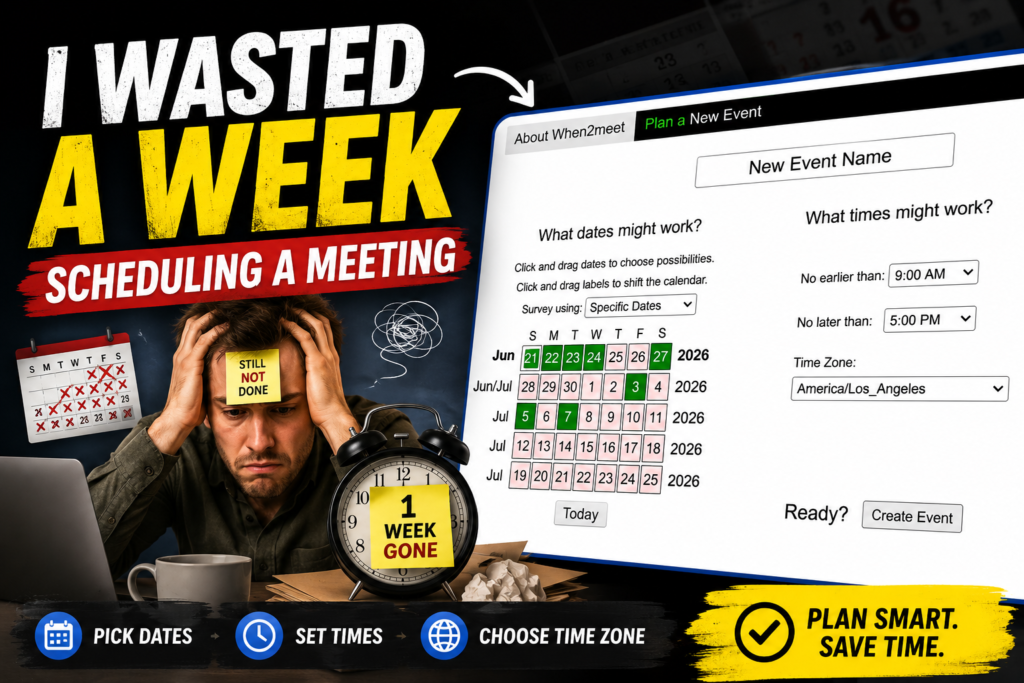
We found a time eventually. Took about a week.
The week before that I used When2meet for a different group. Sent the link at 10 AM, had everyone’s availability by 2 PM, picked a time, done. That’s the difference.
What it is, quickly
You go to when2meet.com. You pick dates. You pick a time range, like 9 AM to 6 PM. You get a link. You send that link to your people. They click it, put their name, drag across the times they’re free. You look at the grid, find the greenest block, that’s your meeting time.
No signup. No app download. No “please verify your email.” Nothing. Just a link and a grid.
I’ve explained this to my mother over the phone in about 45 seconds and she figured it out. That’s my personal benchmark for whether a tool is actually simple.
The grid thing is genuinely clever
When people fill in their availability, the tool stacks all of it onto one grid. The more people available at a given time, the darker green that slot turns. You’re basically looking at a heatmap of when your group can meet.
And if you hover over any slot, it tells you exactly who’s free. So you can see “okay, 3 PM Wednesday has 7 out of 9 people” and make a call on whether to go with that or keep looking for the perfect slot.
This sounds basic but it’s actually kind of brilliant? Like — no spreadsheet, no manual comparison, no reading through individual responses. Your eye just goes to the darkest green spot and that’s your answer. Done in ten seconds.
Two things people miss about it
First — there’s a “Days of the Week” mode that most people never notice. The default is specific dates, which is great for a one-time meeting. But if you’re trying to figure out when to schedule a recurring thing — a weekly team call, a study group that meets every two weeks, whatever — switch to Days of the Week. People tell you their general weekly availability instead of responding to specific dates. Way more useful for that use case.
Second — time zones. There’s a dropdown. Use it if your group is in different cities. I forgot this once for a call with someone in London and it was an embarrassing mess. The tool can’t read minds, it just shows times in whatever zone you set. Set it correctly upfront.
Who is this actually for
Honestly? Almost anyone trying to coordinate more than two or three people.
I’ve used it for work meetings, for getting friends together for dinner when everyone has unpredictable schedules, for coordinating a call with family members spread across different time zones. My friend who runs a small fitness studio uses it to figure out class times that work for her regulars. A professor I know uses it to schedule optional review sessions for students.
The common thread is: multiple people, different schedules, need one time that works. When2meet is built exactly for that and nothing else, which is actually why it’s good at it.
What it can’t do
It doesn’t connect to your calendar. You find the time using When2meet, then you still have to go make the actual calendar invite somewhere else. Google Calendar, Outlook, whatever you use — When2meet doesn’t touch any of that.
It also doesn’t send reminders. Once the poll is done, it’s done. If you need people to actually show up to the meeting, that part is still on you.
And if your group has low follow-through — the kind of people who take five days to reply to anything — When2meet won’t fix that. You’ll still be waiting. The tool can only work with the responses it gets.
These aren’t complaints exactly, more just things worth knowing going in. It does one thing. That one thing is finding a meeting time. Everything else is outside its scope.
The privacy thing, briefly
No email required. No account. The people filling out your poll just type a name — could be their real name, could be “John’s Phone,” doesn’t matter. Nothing gets tracked, nothing gets sold. There are no ads on the site. They do have a small voluntary donation option at the bottom for people who want to support it, which I respect more than the usual “upgrade to Pro for $12/month” model.
Final thought
There’s a category of tool that’s just clearly the right solution to a specific problem and doesn’t try to be anything more than that. When2meet is in that category. It’s not going to wow you with features. It’s not going to become your favorite app. But the next time you’re staring down a group scheduling situation that’s turning into a week-long email thread, it will solve the problem in an afternoon.
FAQs
Q: Do I need to create an account to use When2meet?
No. Not even close. No email, no password, no “please confirm your account” nonsense. You open the link, type your name, drag across your free times. That’s the whole thing.
Q: People aren’t filling out my poll. Is something wrong with the tool?
The tool is fine. Your group chat is the problem. When2meet can only work with responses it actually gets. Send a follow-up message — something like “takes literally 2 minutes, just click the link” — that usually shakes people loose.
Q: Does it sync with Google Calendar or Outlook?
Nope. When2meet finds the time. You still have to make the actual calendar invite yourself. Think of it as the detective, not the secretary.
Q: What if one person in the group is never available?
Honestly? Look at the grid, find when 9 out of 10 people are free, and make a judgment call. There is no magic tool that fixes a person who has zero free time. That’s a people problem, not a scheduling problem.
Q: It’s free — so what’s the catch?
There isn’t one, weirdly. No ads, no paid tier, no data being sold. There’s a small voluntary donation option on the site for people who want to support it. Nobody is forcing anything.
Q: Does it work on mobile?
It works, yeah. But dragging across time slots with your finger is a little clunky on a small screen. If you have the option, do it on a laptop. You’ll thank yourself.
Q: How many people can respond to one poll?
No hard limit. I’ve personally used it with 20+ people without any issues. The grid gets a little busy but it still does its job.
